
Portscan
Scans the requesting client's IP for open TCP ports with fast or deep modes on IPv4/IPv6.
About Portscan
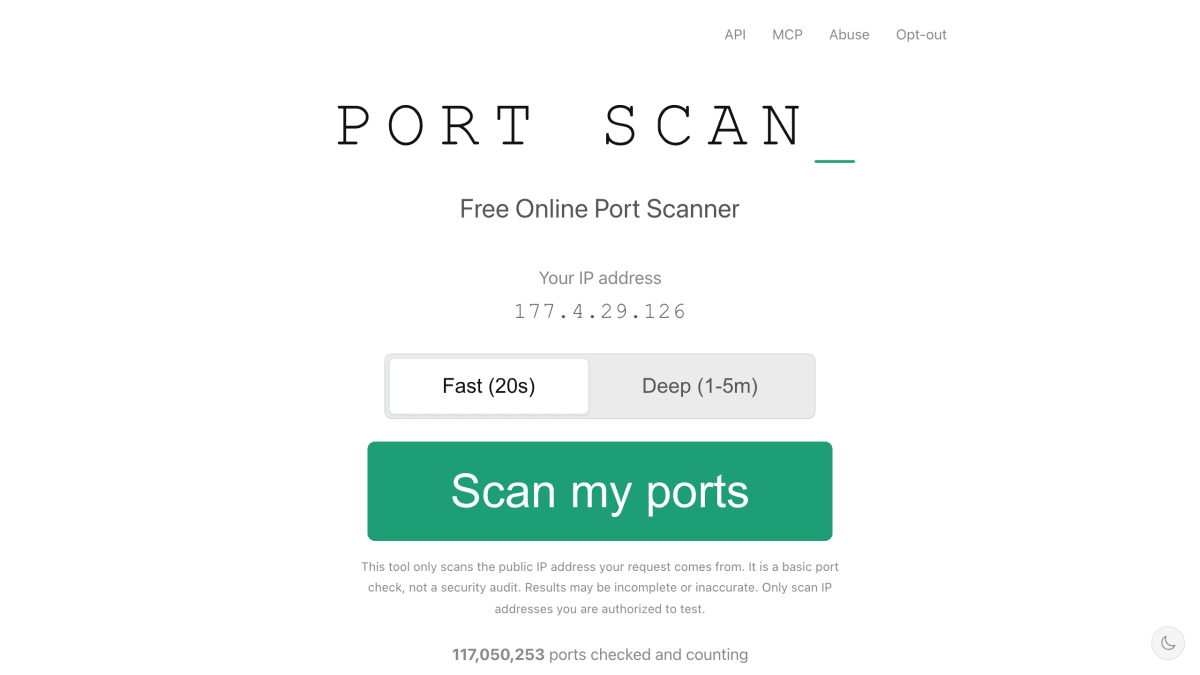
Portscan is a free online port scanner that checks the TCP ports of the public IP address a visitor's request originates from. It requires no account, signup, or API key. Two scan modes are offered: a fast scan that checks 32 common TCP ports in about 20 seconds, and a deep scan that checks all 65,535 TCP ports in 60 to 300 seconds, including service version detection via nmap for open ports found. Results classify each port as open, closed, or filtered, with explanations of what each state means.
The scan target is determined server-side from the connection and cannot be set to another address, so only the requester's own IP is scanned. The tool is aimed at diagnostics such as checking port forwarding, home lab setups, firewall configuration, and identifying unintentionally exposed services like databases or remote access ports. It also provides an abuse-contact page listing scanner IP addresses and verification methods, and an opt-out mechanism to exclude an IP or CIDR range from future scans.
For automation, portscan.com offers an API (polling v1 or a streaming v2 request) that returns JSON without requiring a signup or API key, and an MCP server that lets AI agents scan their own open ports as a native tool, also without a key or signup. Scan metadata is logged for 180 days for abuse prevention and legal compliance under German law, detailed results are kept for 24 hours, and a 7-day scan history is visible from the same IP. The site uses a self-hosted Plausible analytics instance that collects aggregate page views without cookies or personal data, and states no data is shared with third parties.
Key features
- Fast scan checks 32 common TCP ports in about 20 seconds
- Deep scan checks all 65,535 TCP ports with nmap-based service version detection
- Scans run against the requester's own public IP, determined server-side with no user input
- REST API (v1 polling, v2 streaming) for scanning from scripts and pipelines, no API key or signup
- MCP server for scanning open ports as a native tool in AI agents
- 7-day history of completed scans viewable from the same IP
Frequently asked questions
Is portscan.com free and does it require an account?
Yes, it is free to use with no account, signup, or API key required.
What is the difference between fast and deep scan?
The fast scan checks 32 common ports in about 20 seconds, while the deep scan checks all 65,535 TCP ports in 60 to 300 seconds and adds nmap service version detection on open ports.
Can it scan any IP address I choose?
No, it only scans the public IP address of the device making the request, and this target is fixed server-side and cannot be changed by user input.
Does it integrate with scripts or AI agents?
Yes, it offers a JSON API (v1 polling or v2 streaming) for scripts and pipelines, and an MCP server for use as a tool in AI agents.
Does portscan.com store my scan results?
Scan metadata is logged for 180 days for abuse prevention and legal compliance, detailed results are kept for 24 hours, and a 7-day scan history is visible from the same IP; no user accounts exist and no data is shared with third parties.


SerpApi - Search API
SerpApi's Search API makes it easy and fast to scrape Google and other search engines.

Show your product to thousands of developers
· 100k monthly pageviews
· 7k newsletter subscribers
You might also like
OWASP ZAP
SecurityAutomated security testing API for web apps.
Passwordinator
SecurityGenerate random passwords of varying complexities.
PhishStats
SecurityPhishing database.
Privacy.com
SecurityGenerate merchant-specific and one-time use credit card numbers that link back to your bank.
Pulsedive
SecurityScan, search and collect threat intelligence data in real-time.
SecurityTrails
SecurityDomain and IP related information such as current and historical WHOIS and DNS records.