URL to Markdown
Convert web page to MarkDown.
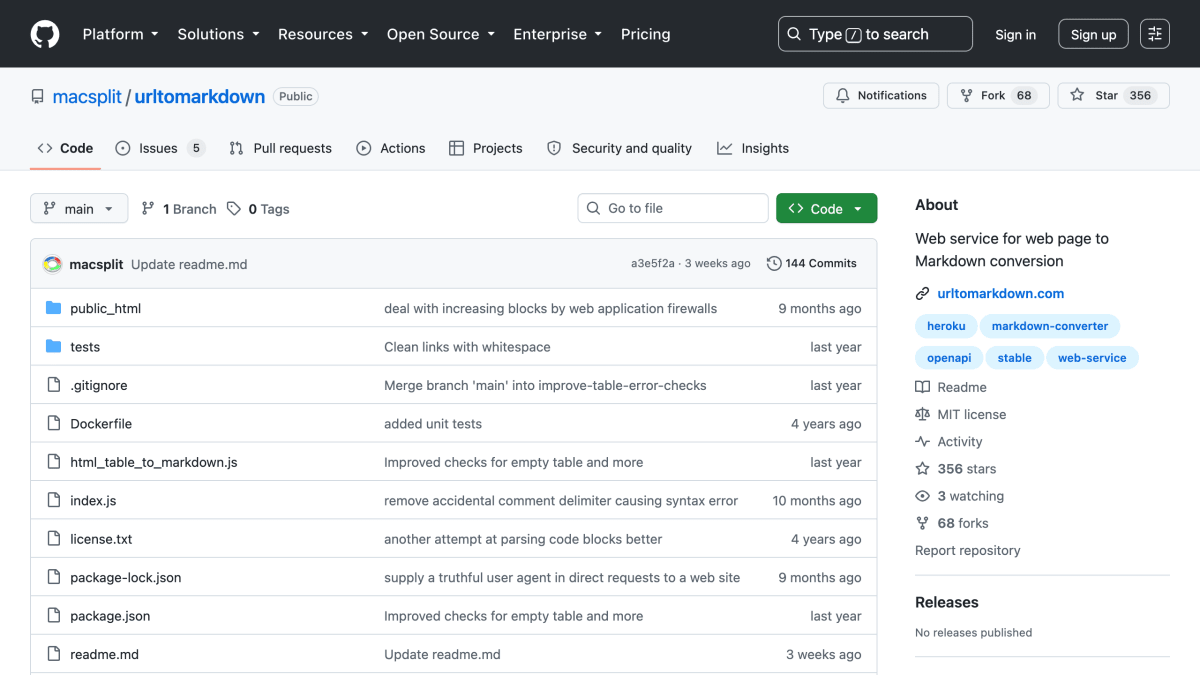
About URL to Markdown
URL to Markdown is a web service that downloads a requested web page and returns a Markdown version of its content. Requests are made via GET or POST with a URL parameter (or raw HTML in the POST body), and the service supports optional parameters to include an inline title (also returned via an X-Title HTTP header), suppress links, or suppress cleaning/filtering before conversion. An OpenAPI specification documents the API.
The project also includes related tools: an MCP server (urltomarkdown-mcp) that wraps the service so AI assistants such as Claude and Cursor can fetch and convert web pages to Markdown, a web front end at urltomarkdown.com, a bookmarklet for saving converted pages to SimpleNote on iOS/iPadOS, a Safari Snippets script for sites that block cross-domain bookmarklet requests, and browser extensions (Firefox and Safari iOS) called ToMarkdown.
The code is written in JavaScript and distributed under the MIT license, with a Dockerfile provided for containerized deployment. It is suited for developers who need programmatic or browser-based conversion of web pages into Markdown, such as for note-taking, content archiving, or feeding page content to AI tools.
Key features
- Converts a webpage to Markdown via a simple GET/POST web service
- Optional inline title extraction, also returned in the X-Title HTTP header
- Optional link suppression for cleaner text-only output
- Optional toggle to disable content cleaning/filtering before conversion
- Available as an MCP server (urltomarkdown-mcp) for AI assistants like Claude and Cursor
- Browser bookmarklet and extensions (Firefox, Safari iOS) for quick conversion
Frequently asked questions
Is this free to use?
It is an open-source MIT-licensed project hosted as a public web service on Heroku.
What integrations are available?
It offers an MCP server (urltomarkdown-mcp) for AI assistants, Firefox and Safari iOS browser extensions, and a bookmarklet for SimpleNote.
How do I use the API?
Send a GET or POST request with a url parameter (and optional html body for POST) to the Heroku-hosted endpoint, with optional title, links, and clean query parameters.
Who is this for?
Developers and AI tool builders who need to convert web pages into Markdown, including those integrating with AI assistants via MCP.
Is there a web interface?
Yes, urltomarkdown.com provides a front-end web interface for the underlying Heroku web service.


SerpApi - Search API
SerpApi's Search API makes it easy and fast to scrape Google and other search engines.

Show your product to thousands of developers
· 100k monthly pageviews
· 7k newsletter subscribers
You might also like
ReportForge
Documents & ProductivityGenerate styled HTML reports from CSV or JSON data with built-in templates.
Restpack
Documents & ProductivityProvides screenshot, HTML to PDF and content extraction APIs.
Todoist
Documents & ProductivityTodo Lists.
Vector Express v2.0
Documents & ProductivityFree vector file converting API.
Vertopal
Documents & ProductivityConvert your files to a variety of formats using Vertopal API.
WakaTime
Documents & ProductivityAutomated time tracking leaderboards for programmers.