Flipkart Marketplace
Product listing management, Order Fulfilment in the Flipkart Marketplace.
About Flipkart Marketplace
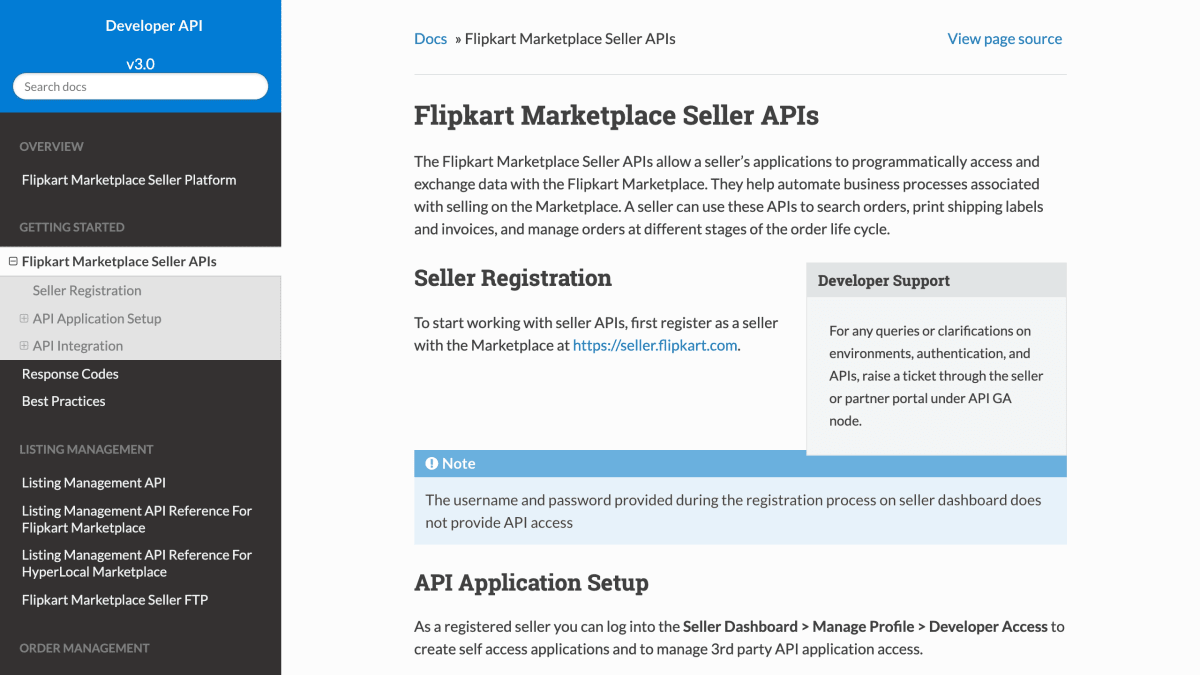
Flipkart Marketplace Seller APIs allow sellers on the Flipkart platform to programmatically access and exchange data with the marketplace, automating business processes associated with selling on it. Sellers can use the APIs to search orders, print shipping labels and invoices, and manage orders through different stages of the order lifecycle. The documentation also covers listing management and report management APIs.
Access requires registering as a seller at seller.flipkart.com and then creating an application through the Seller Dashboard under Manage Profile > Developer Access. Two application types are supported: Self Access Applications, for sellers integrating with the API for their own orders and listings, and Third Party Access Applications, for partners or aggregators building on behalf of multiple sellers, which require additional verification by Flipkart within 72 hours of registration.
Authentication uses OAuth 2.0, with a Client Credentials flow for self access applications and an Authorization Code flow for third-party applications. All API requests must be made over HTTPS, and access tokens expire after approximately 60 days, requiring regeneration via a refresh token flow. A Java API client is provided for token generation and integration.
Key features
- Search orders, print shipping labels and invoices, and manage order lifecycle programmatically
- Listing management API for creating and updating product listings
- Order management notification service for order status updates
- Report management API for generating seller reports
- OAuth-based authentication with Client Credentials and Authorization Code flows
- Seller FTP support for bulk listing management
Frequently asked questions
Who is the Flipkart Marketplace Seller API for?
It is for sellers registered on Flipkart Marketplace who want to automate order and listing management, as well as third-party partners or aggregators building applications for multiple sellers.
What authentication does the API use?
It uses OAuth 2.0 with either a Client Credentials flow for self-access applications or an Authorization Code flow for third-party applications, and access tokens typically expire after 60 days.
Do all API requests need to use HTTPS?
Yes, all seller APIs must be HTTPS requests, and HTTP requests are not supported.
How do I get access to the API?
You must first register as a seller at seller.flipkart.com, then create a self-access or third-party application under Manage Profile > Developer Access to receive an Application ID and Application Secret.
Is there support for third-party partners or aggregators?
Yes, partners must register on the Partner Dashboard as an API Partner, and Flipkart verifies their details within 72 hours before allowing creation of a Third Party Application.


SerpApi - Search API
SerpApi's Search API makes it easy and fast to scrape Google and other search engines.

Show your product to thousands of developers
· 100k monthly pageviews
· 7k newsletter subscribers
You might also like
E-Commerce APIs
ShoppingAll around e-commerce APIs. Generate QR codes, product categories and thumbnails, barcodes and many more.
eBay
ShoppingSell and Buy on eBay.
Etsy
ShoppingManage shop and interact with listings.
Lazada
ShoppingRetrieve product ratings and seller performance metrics.
Mercadolibre
ShoppingManage sales, ads, products, services and Shops.
OLX Poland
ShoppingIntegrate with local sites by posting, managing adverts and communicating with OLX users.