
Travis CI
Sync your GitHub projects with Travis CI to test your code in minutes.
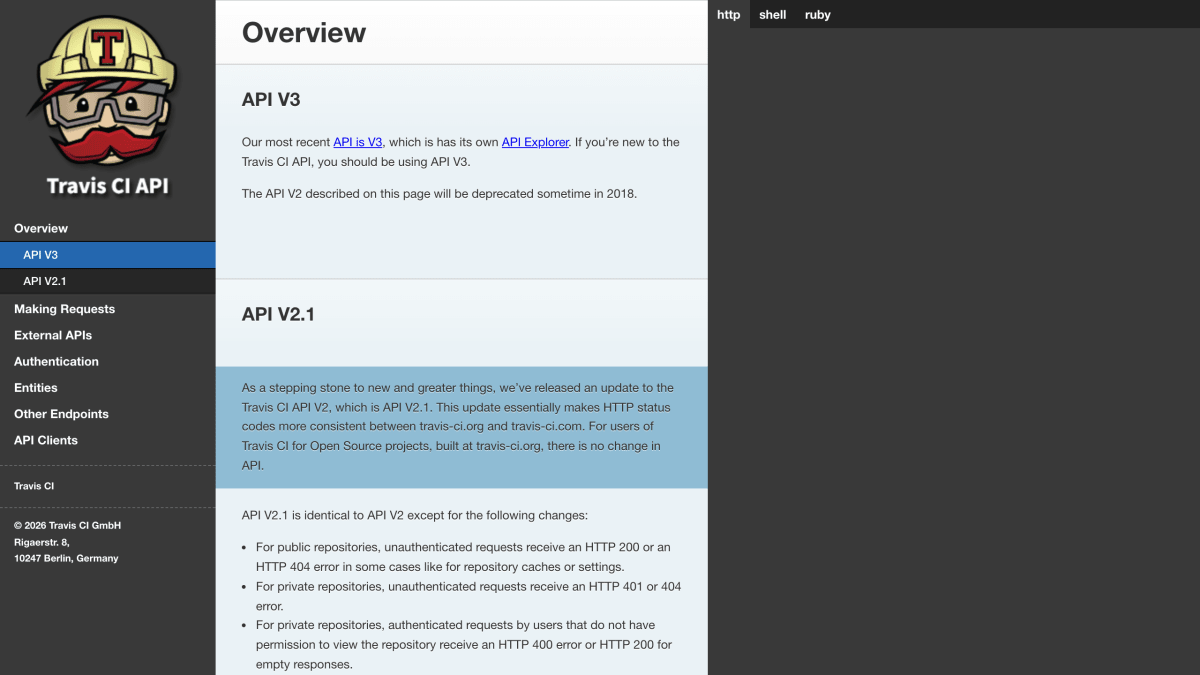
About Travis CI
Travis CI provides a REST API (V2, being superseded by V3) for interacting with its continuous integration service. The API covers repositories, builds, branches, jobs, and requests, with separate endpoints for open source projects (api.travis-ci.org), private projects (api.travis-ci.com), and self-hosted Travis CI Enterprise installations. Authentication is handled by exchanging a GitHub token for a Travis CI access token via the /auth/github endpoint; users must first log in through the web interface before this exchange is possible.
The API integrates with GitHub as its source of users, organizations, and repositories, and with Pusher for streaming build logs live. A /config endpoint exposes connection details for these external services, including the GitHub API endpoint, required GitHub OAuth scopes, and the Pusher application key. Enterprise setups behind a firewall can also use Slanger, whose URL is likewise exposed through /config.
This documentation is aimed at developers building custom clients or tools against the Travis CI API, such as CI dashboards, command-line tools, or integrations. Client libraries exist for Ruby (the travis gem, with Travis::Client and Travis::Pro namespaces) and a command-line client (travis). Requests must set a User-Agent header and an Accept header specifying the API version (application/vnd.travis-ci.2.1+json for V2.1).
Key features
- Authenticate by exchanging a GitHub token for a Travis access token via /auth/github
- Config endpoint exposes GitHub API URL, required OAuth scopes, and Pusher key for live log streaming
- Command-line client (travis) and Ruby client library for interacting with the API
- API V2.1 adds more consistent HTTP status codes across travis-ci.org and travis-ci.com
Frequently asked questions
What API version should I use?
API V3 is the most recent and recommended version with its own API Explorer; API V2 (documented here) was slated for deprecation sometime in 2018.
What languages or clients are supported?
Travis CI provides a command-line client (travis) and an official Ruby client library, and the API can be accessed directly over HTTP by any custom client.
How do I authenticate to the API?
You exchange a GitHub token for a Travis CI access token by POSTing to /auth/github, and you must have logged into the Travis web interface at least once first.
What is the difference between travis-ci.org and travis-ci.com?
travis-ci.org (accessed via api.travis-ci.org) is for open source projects, while travis-ci.com (accessed via api.travis-ci.com) is for private projects.
Can I use this API with a self-hosted Travis CI Enterprise instance?
Yes, Enterprise setups use the API at https://travis.example.com/api, substituting the actual domain Travis CI runs on.


SerpApi - Search API
SerpApi's Search API makes it easy and fast to scrape Google and other search engines.

Show your product to thousands of developers
· 100k monthly pageviews
· 7k newsletter subscribers
You might also like
Azure DevOps Health
Continuous IntegrationResource health helps you diagnose and get support when an Azure issue impacts your resources.
Bitrise
Continuous IntegrationBuild tool and processes integrations to create efficient development pipelines.
Buddy
Continuous IntegrationThe fastest continuous integration and continuous delivery platform.
CircleCI
Continuous IntegrationAutomate the software development process using continuous integration and continuous delivery.
Codeship
Continuous IntegrationCodeship is a Continuous Integration Platform in the cloud.
EC2.shop API
Continuous IntegrationGet AWS service price right from your terminal.